Android

HealThaali for Android

Your food companion, wherever the kitchen is. The Android app carries the whole experience — plan, log, scan, cook and track — and it works the same way whether you are at home or eating out.

Read the full feature list
No store link yet — and that is deliberateThe Google Play listing is not published, so this page does not link to one. SetPUBLIC_ANDROID_URL in .env and the button above switches to a real link automatically, everywhere on the site.
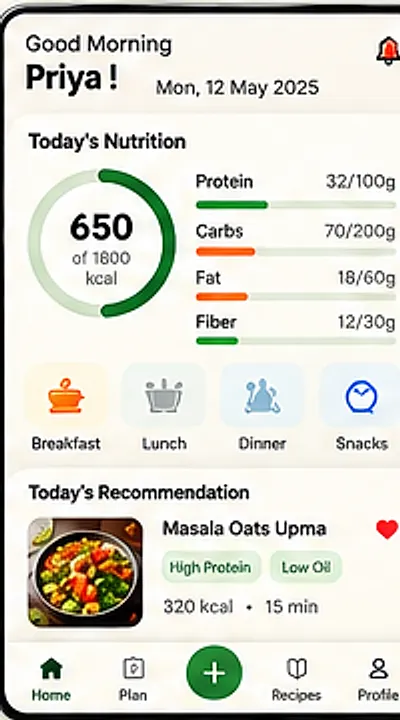
Home dashboard showing 650 of 1800 kcal with protein, carbs, fat and fibre bars, meal shortcuts and today's recipe recommendation

On the phone

Built for the two minutes you actually have

Standing in the kitchen, on the train, halfway through a meal — the app is designed for quick glances and quick taps.

  • Today's plan, one tap away

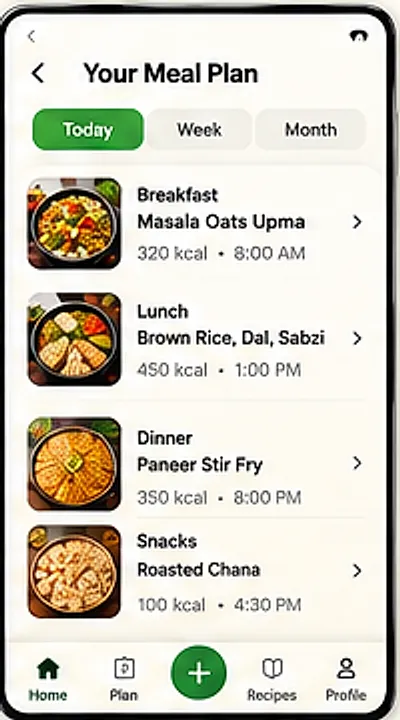
    Breakfast, lunch, dinner and snacks with calories and times, already counted for you.

  • Log by camera or barcode

    Point at the plate when typing is too much effort; search when it is not.

  • Suggestions shaped by today

    HealThaali AI reads what you have already eaten before it recommends anything.

  • Reminders you control

    Meal and logging nudges, switched on and off in Settings.

App screens

From first launch to Start Cooking

Splash, onboarding, profile setup, dashboard, meal plan and recipe detail — the actual screens, in order.
HealThaali splash screen with the HT leaf monogram and the tagline Healthy Food, Happier You
Splash
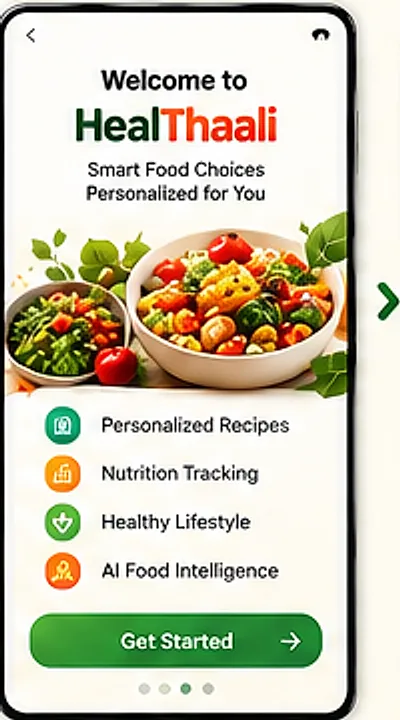
Onboarding screen introducing HealThaali with the promises personalized recipes, nutrition tracking, healthy lifestyle and AI food intelligence
Welcome
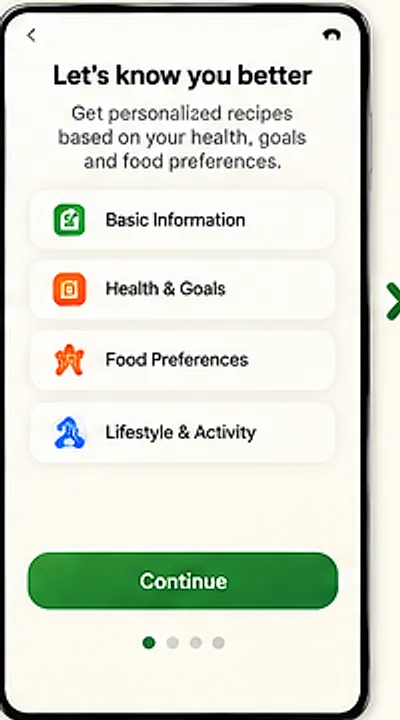
Create Profile screen asking for basic information, health and goals, food preferences and lifestyle
Create profile
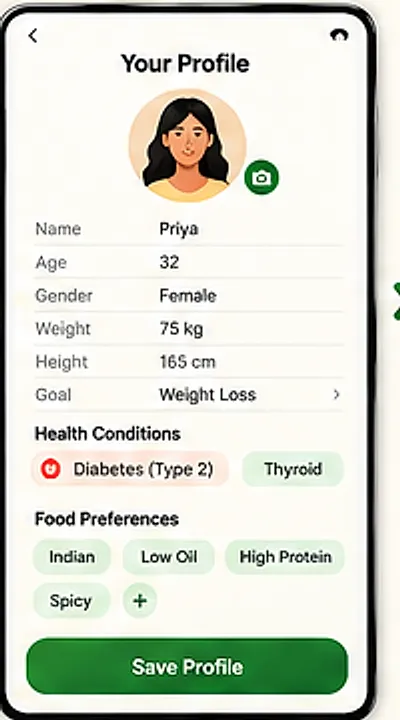
Profile setup screen showing name, age, gender, weight, height, goal weight loss, a diabetes type 2 health condition and Indian, low oil, high protein food preferences
Your profile
Home dashboard showing 650 of 1800 kcal with protein, carbs, fat and fibre bars, meal shortcuts and today's recipe recommendation
Home dashboard
Meal plan screen listing breakfast, lunch, dinner and snacks with calories and times, with today, week and month views
Meal plan
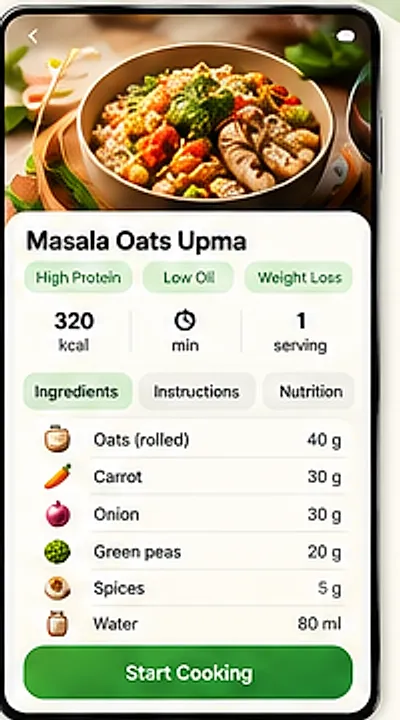
Recipe detail screen for Masala Oats Upma with high protein, low oil and weight loss tags, calories per serving, an ingredient list and a Start Cooking button
Recipe detail

Day to day

The screens you will open most

Logging, scanning, suggestions, progress, memory and settings.
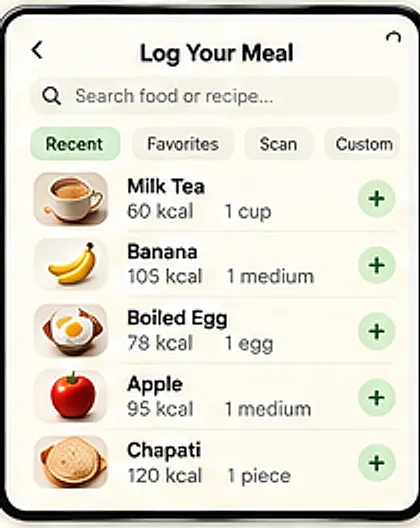
Log your meal screen with a food search box, recent, favourites, scan and custom filters, and quick rows for milk tea, banana, boiled egg, apple and chapati
Food logging
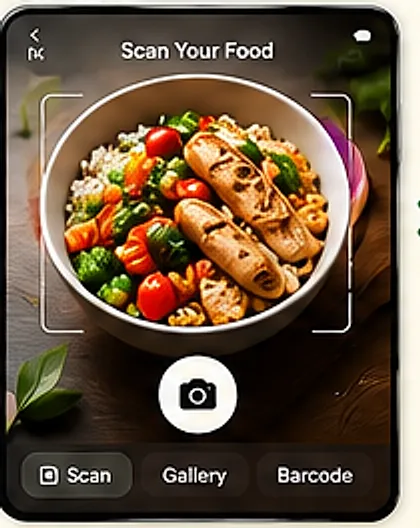
Scan your food screen with a camera viewfinder over a plated meal and scan, gallery and barcode options
Scan food
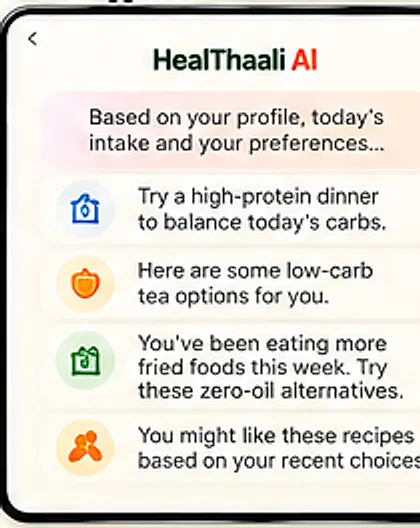
HealThaali AI screen offering a higher-protein dinner, low-carb tea options and zero-oil alternatives based on today's intake
HealThaali AI
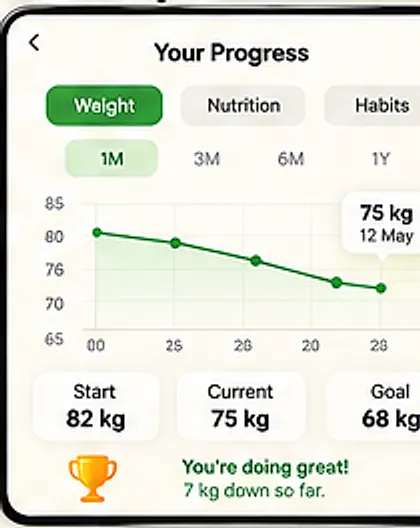
Health progress screen with a weight trend line over one month and start, current and goal weight figures
Your progress
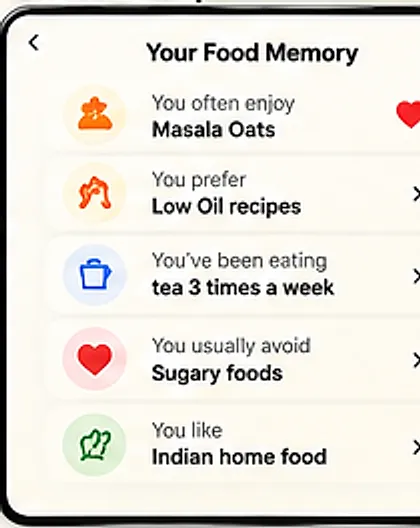
Food memory screen summarising foods you often enjoy, prefer, avoid and eat most frequently
Food memory
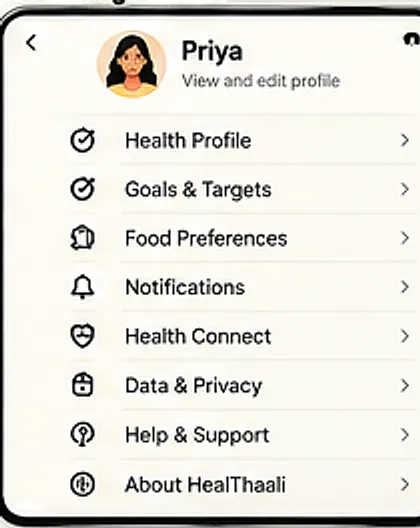
Settings screen listing health profile, goals and targets, food preferences, notifications, health connect, data and privacy, help and support
Settings & more

On your device

Settings includes Data & Privacy

HealThaali keeps Data & Privacy, Health Connect and Notifications in the same Settings screen, so you decide what is shared and what is not.

Settings screen listing health profile, goals and targets, food preferences, notifications, health connect, data and privacy, help and support
Settings & more
  • Data & Privacy controls, documented in the privacy policy
  • A defined route to delete your account and its data
  • Optional Health Connect integration — off unless you turn it on
Not a medical deviceHealThaali offers general nutrition information and meal guidance. It is not a medical device and does not diagnose, treat or cure any condition. Always follow the advice of your own doctor or dietitian.

Questions

Android questions

What does HealThaali actually do?
It plans your meals around home-cooked Indian food, tracks the nutrition in what you eat, and adapts its suggestions to your profile. In practice you get a daily plan, a dashboard of protein, carbs, fat and fibre against your targets, food logging (including photo and barcode scanning), step-by-step recipes and a progress view.
Do I have to weigh and calculate everything myself?
No. Meals in your plan already carry their calories and macros. For anything outside the plan you can search for the food, pick from recent or favourites, or scan it. Logging a banana or a boiled egg is a tap, not a spreadsheet entry.
What is HealThaali AI?
It is the suggestion layer. It looks at your profile, what you have already eaten today and your food preferences, then offers concrete next steps — for example a higher-protein dinner because most of today's carbs came early, or a zero-oil version of something you order often.
What is “Food Memory”?
A plain-language summary of your habits that HealThaali builds as you use it: what you often enjoy, what you prefer, what you usually avoid and what you eat most frequently. It is there so the recommendations get sharper without you re-entering preferences.
Is HealThaali only for Indian food?
The recipes and the zero-oil cooking approach are built around Indian home cooking — rice, dal, sabzi, thalis, snacks and everyday dishes. That focus is the point: the food has to be something you would actually eat again tomorrow.
Can I use it if I have a health condition such as diabetes?
Your profile has room for health conditions and food preferences, and the app uses them to personalise suggestions. That said, HealThaali is not a medical device and does not diagnose or treat anything. If you are managing a condition, use it alongside advice from your doctor or dietitian, not instead of it.
Where can I use it — phone, web, or both?
HealThaali is designed as one experience across screens, with the Android app as the primary companion. Web availability is announced on the Web App page; if it is not live yet, that page says so rather than linking to a placeholder.
Is my health data private?
Settings includes a Data & Privacy section, and the privacy policy on this site describes what is collected, why, where it is stored and how to delete your account. We would rather point you at the policy than make a vague promise here.

Start with one meal, not a lifestyle overhaul

Log a single meal and see how quickly the day's nutrition picture fills in.

HealThaali is in active development. Links go live the moment the app is published — until then these buttons are switched off on purpose rather than pointing at a placeholder.